
An approval flow for each kind of work
Review and approve along the route set for each workflow. Rejection, recall and re-review are built in, and pending, in-progress and completed items are visible at a glance.
GS certification pending Keepon DMS, document management for organizations
From drafting to review, approval, distribution and retention. Keepon DMS controls the whole life of a document in one place, down to who made which call.
Keep on record.
Every decision becomes a record.
Every stage a document goes through, from drafting to revision, is connected. At each stage, the record of who did what builds up.
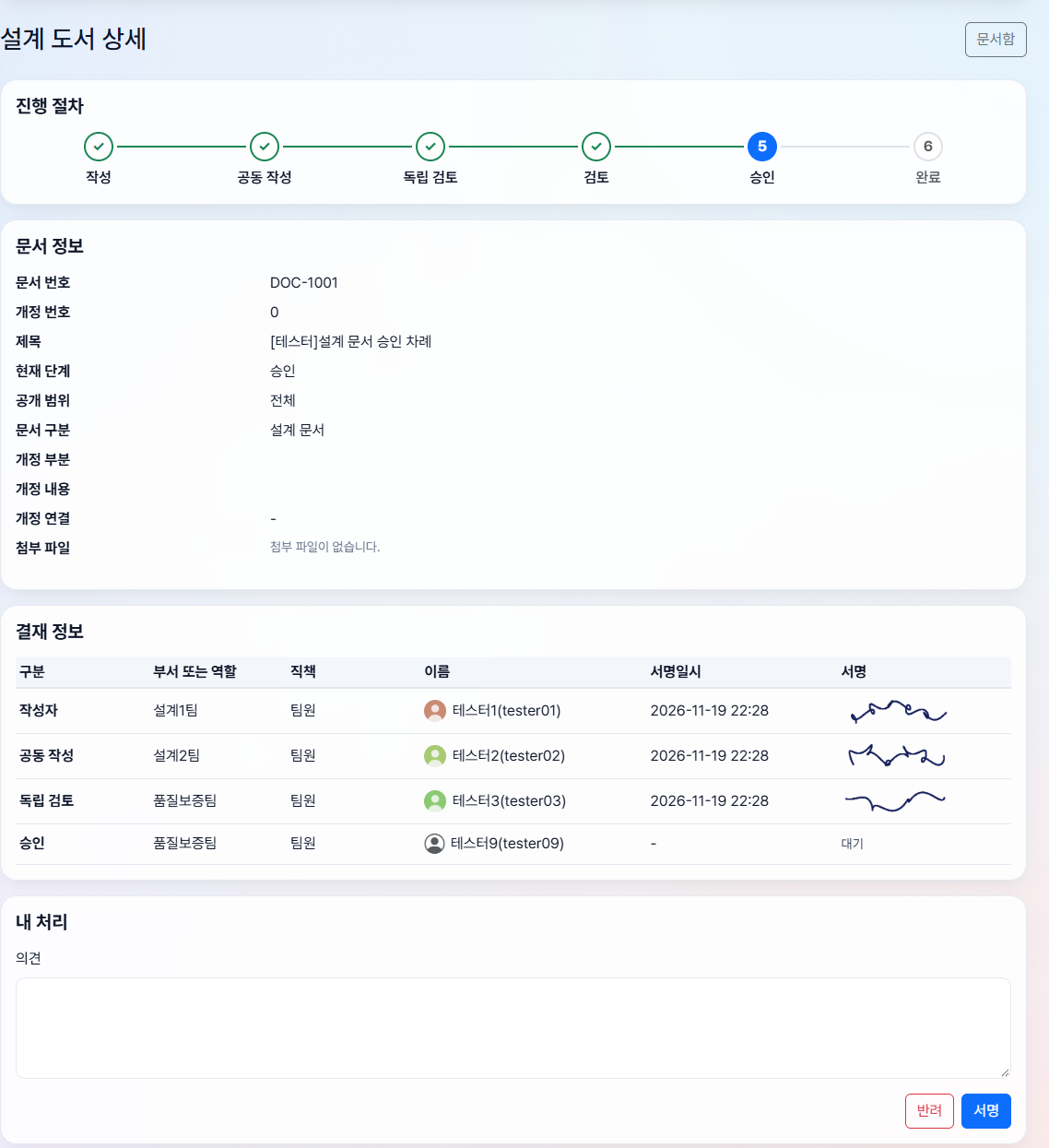
See each stepEnter the document number, title, access scope and attachments, then pick reviewers and approvers in the approval table.
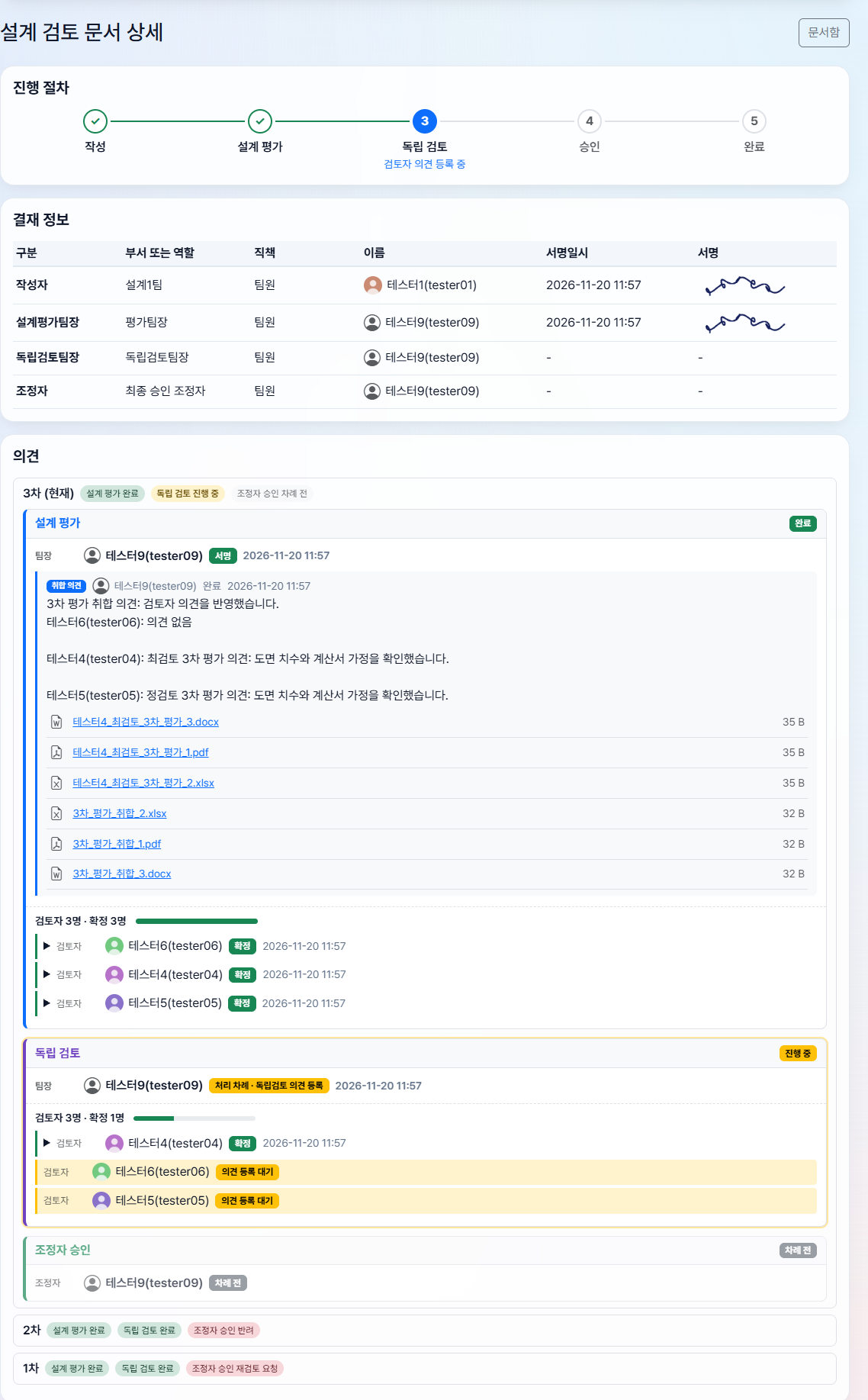
The team lead assigns reviewers, gathers their comments and approves. A re-review never erases earlier rounds.
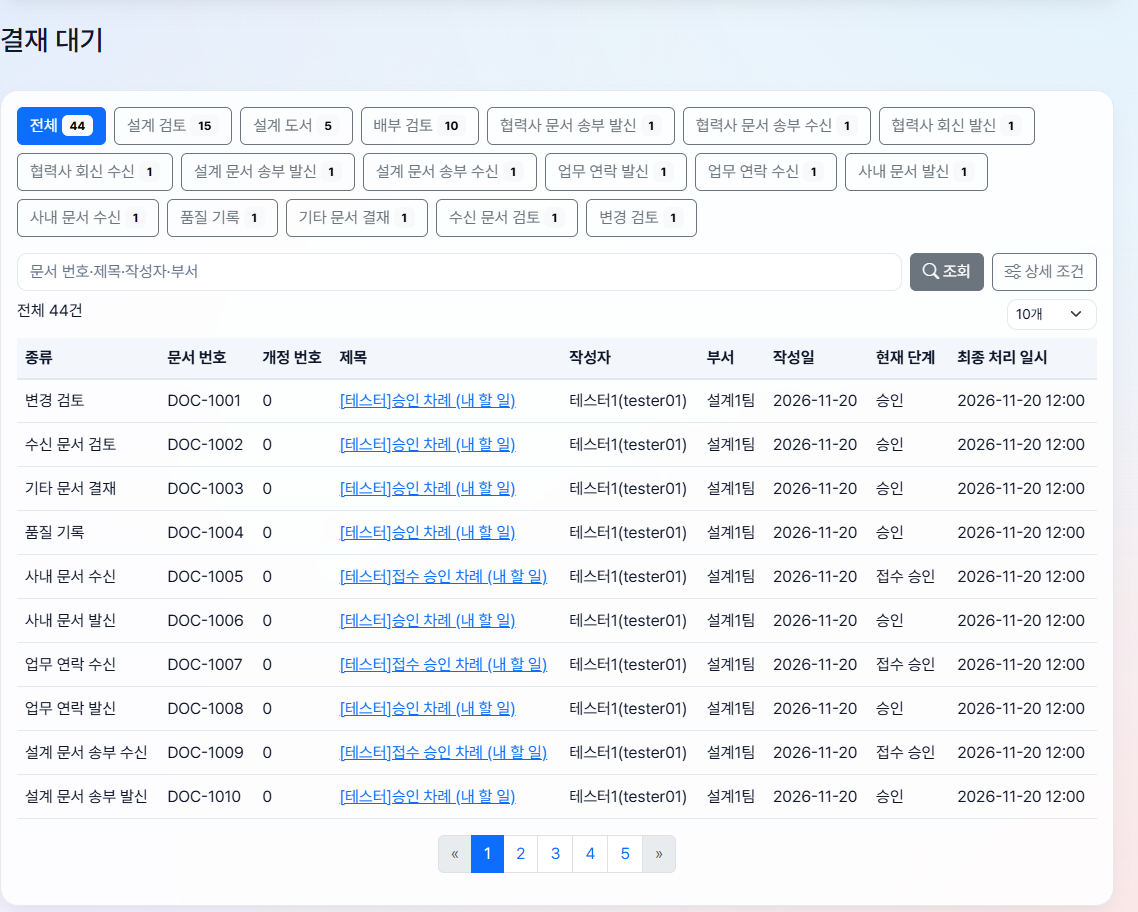
When it is your turn, you get a notification and an email. Sign or reject from a single approval inbox.
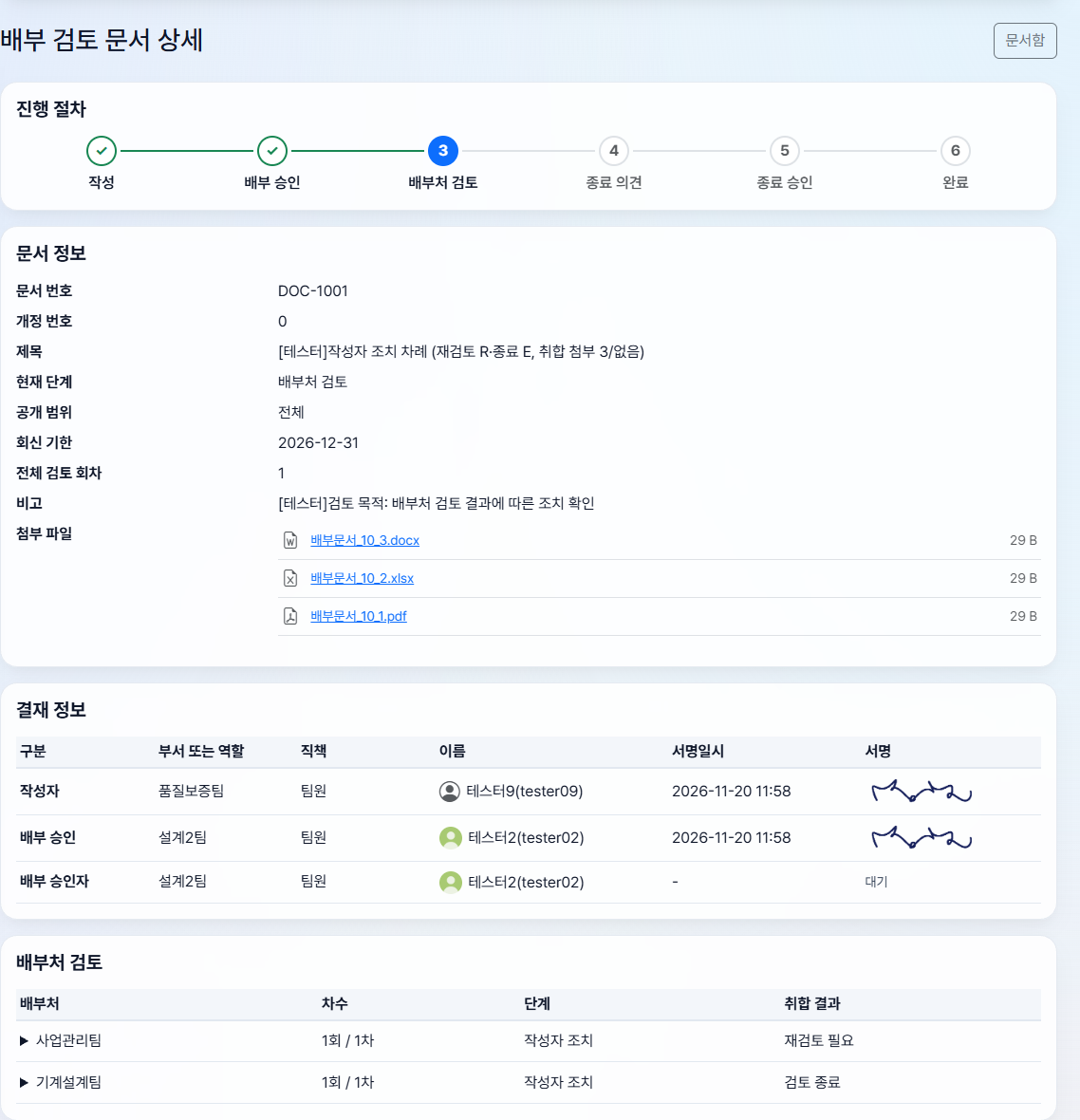
Send a document to several recipients for review at once, and manage reviewers, comments and actions separately for each.
Completed documents circulate as links, not copies. A new revision stays linked to the one before it.
Real screens built with test data. Names and document numbers are test values. The product UI is in Korean.
It keeps what ordinary file shares and groupware approvals struggle to keep.
Comments and signatures are kept for every review round. After a re-review or a rejection, the earlier decisions are still there.
Reviewers, comments and actions are managed per recipient. Individual comments are visible only to the people involved.
No external internet or outside services required. Install and run it as-is on a closed network.
Set the access scope of each document by department or person. When the organization changes, permissions move to the successor department.
Handle your turn in every workflow from one approval inbox, with a notification and an email when your turn comes.
Circulation and sharing happen by link. Permissions on the original are checked again when the recipient opens it.
Review and approve along the route set for each workflow. Rejection, recall and re-review are built in, and pending, in-progress and completed items are visible at a glance.

From assigning reviewers to final approval, with comments kept for every round.

Revision history and links, checklists, and certification body records.

Minutes, correspondence, procedures and quality records, all handled the same way.

Approval-turn alerts, browser notifications, and email right away or as a daily digest.
Written in the order you click on the real screens.
Six steps from registration to the final signature.
See the steps →A multi-stage review where the team lead approves the team's comments.
See the steps →Review, consolidation and response across recipients, in one flow.
See the steps →Start a new revision that carries over the content and approval route.
See the steps →Account protection, per-screen access control and activity logs come standard.
GS certification pending
A typical sequence. We adjust it together to fit your organization.
We confirm your document types and approval procedures.
Installed on your own servers, including closed networks.
Set up departments, users, permissions and approval roles.
Fit procedures and forms to each workflow.
Run a pilot and train your users.
Diagnostic and repair tools support day-to-day operation.
We work out the setup together, around how your organization handles documents.